Built by producers, for producers

Keep all your
music tracks
on track

Tracks on Track keeps your songs moving from first demo to release day, with everyone's notes and sign-offs in one place.

The demo opens in a new tab with made-up songs. No sign-up needed.

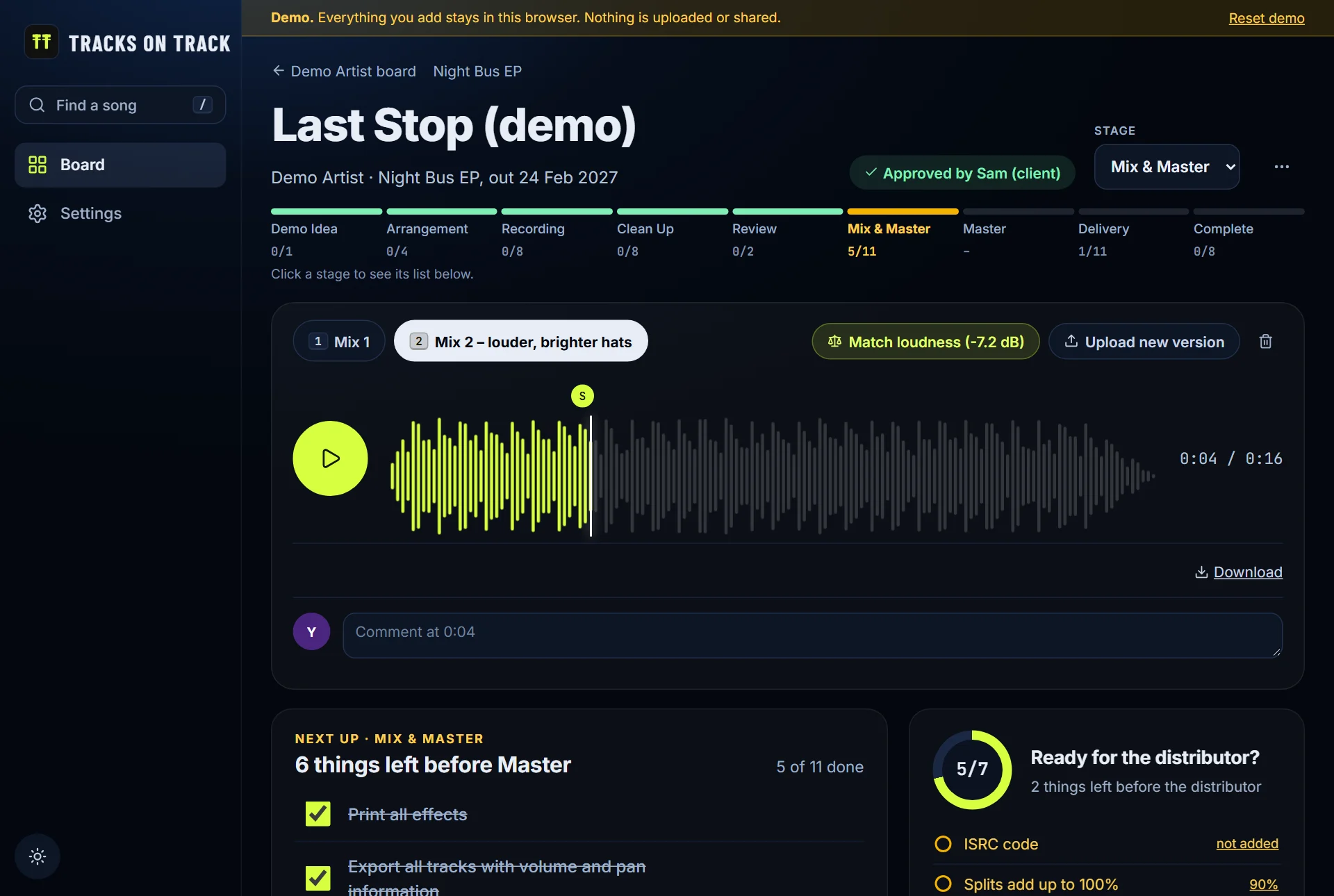
A track page in Tracks on Track: the song's stages across the top, two mix versions, a waveform player with a comment pinned at four seconds, and a checklist underneath.

Every song gets its own page: stages, versions, notes, sign-offs and what's left to do.

How it works

From first demo to release day in three moves

  1. 1

    Put your songs on the board

    Add each song, set its stage and attach it to a release. Now everyone can see where things are at.

  2. 2

    Upload a mix and collect notes

    People comment on the waveform, right where the note applies. Upload the next version and compare the two.

  3. 3

    Sign off and deliver

    Get the mix approved, tick off the checklist and see at a glance whether the song is ready for the distributor.

Features

Everything a release needs, in one place

No more hunting through chats, emails and shared folders for the latest mix and what was said about it.

The board

See where every song is at

One card per song, one column per stage, from first demo to delivery. At a glance you can see what's moving, what's late and what's waiting on you.

  • Name the stages to match how you work.
  • Give each artist their own board, or see them all together.
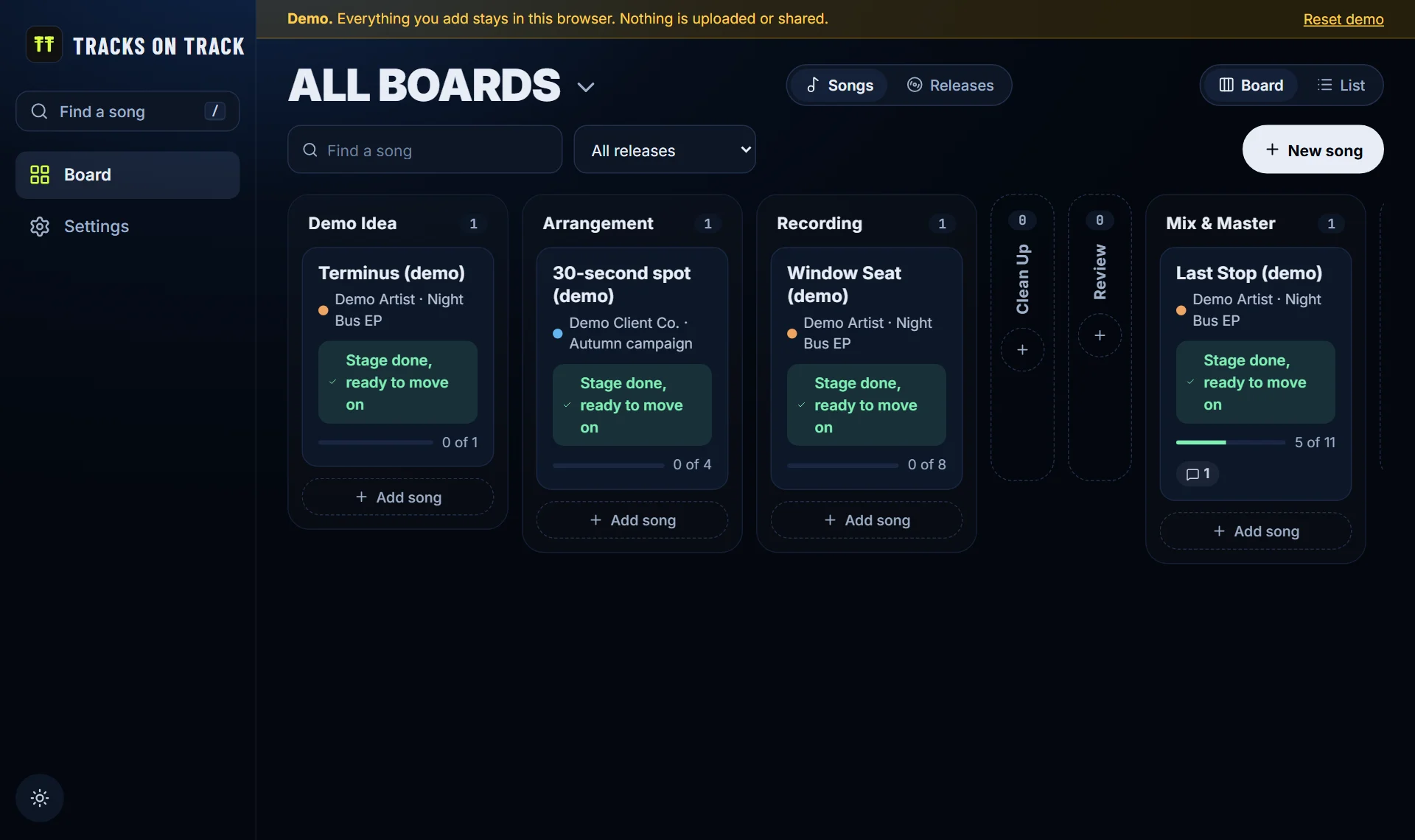
The board: columns for each stage with a card for each song, and counts of songs in progress, things late and things waiting on you.

Mix review

Notes on the exact second

Play the mix, stop where something bugs you and type. Your comment is pinned to that moment on the waveform, so nobody has to guess which chorus you meant.

  • Flip between mix versions at matched loudness, so the louder one doesn't win just for being louder.
  • Approve a mix or ask for changes, and everyone can see who signed off.
  • @tag someone and they get an email.
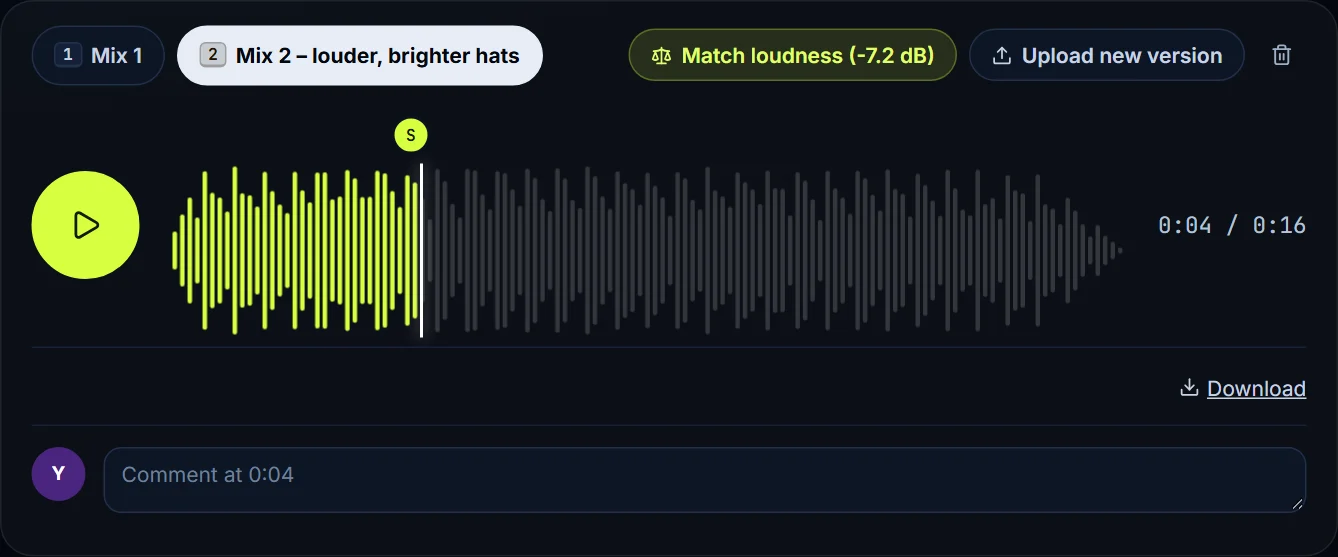
The player: tabs for Mix 1 and Mix 2, a Match loudness button, and a waveform with a comment marker.
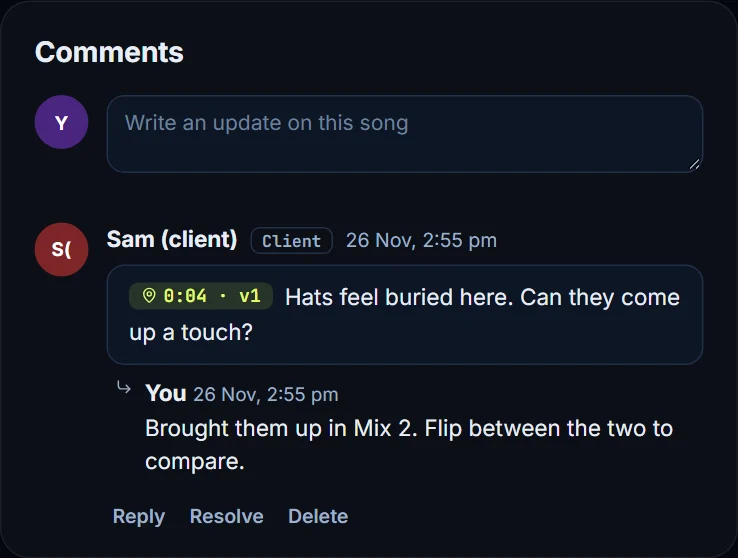
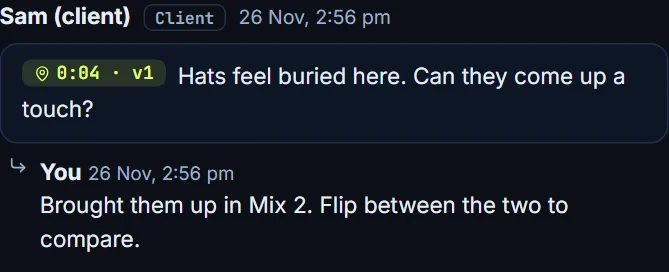
A comment pinned at four seconds on version one saying the hats feel buried, with a reply underneath.

Checklists

Ready for the distributor?

Every stage has its own checklist, and you can hand any item to someone. Each song also gets a readiness check, so you find the missing ISRC now and not the night before.

  • Checks audio, loudness, true peak, ISRC, credits, splits and approval.
  • Add your own steps to any stage.
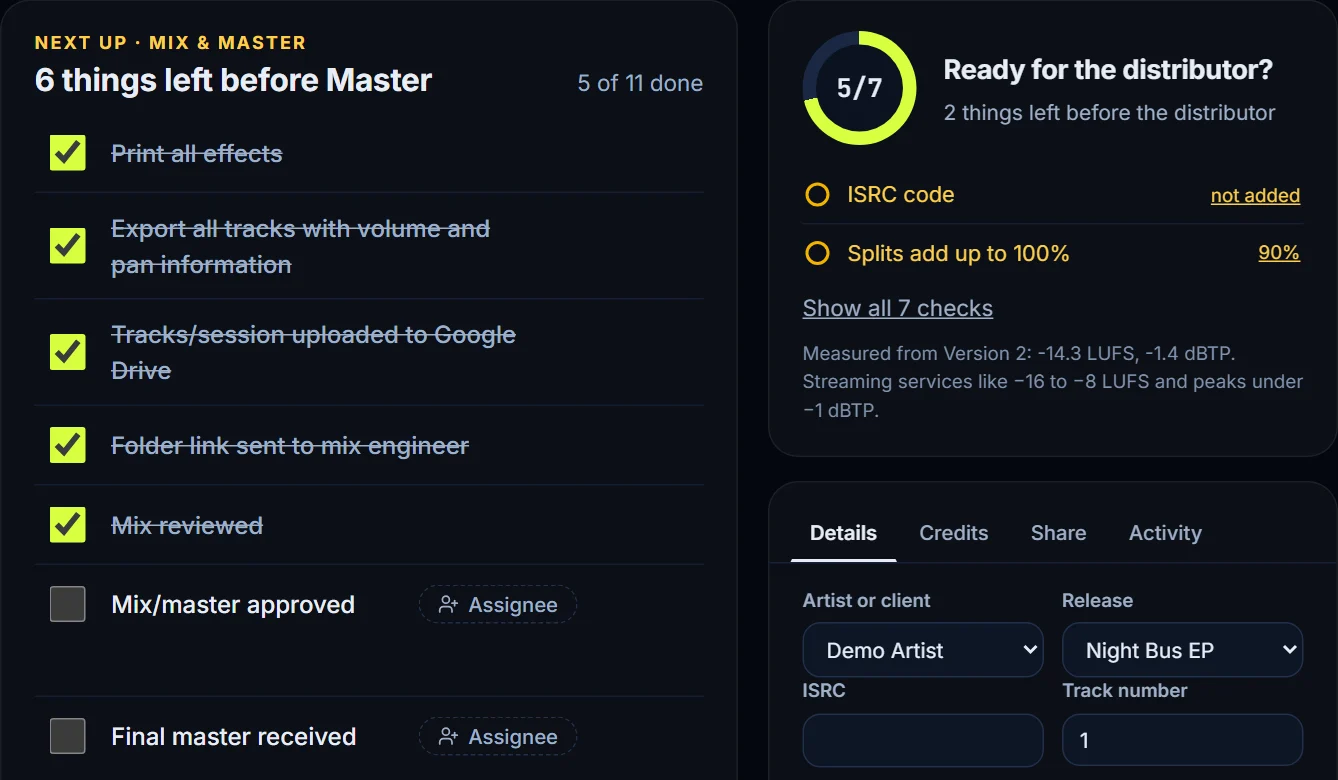
A song's checklist for the mix and master stage beside a Ready for the distributor panel showing five of seven checks passed.

Releases

Plan back from release day

Group songs into a single, EP or album and set the date. You get a countdown, a timeline of what's due when, and a table of what each track still needs.

  • See which tracks are missing audio, codes, credits or approval.
  • Work back from release day through artwork, delivery and promo.
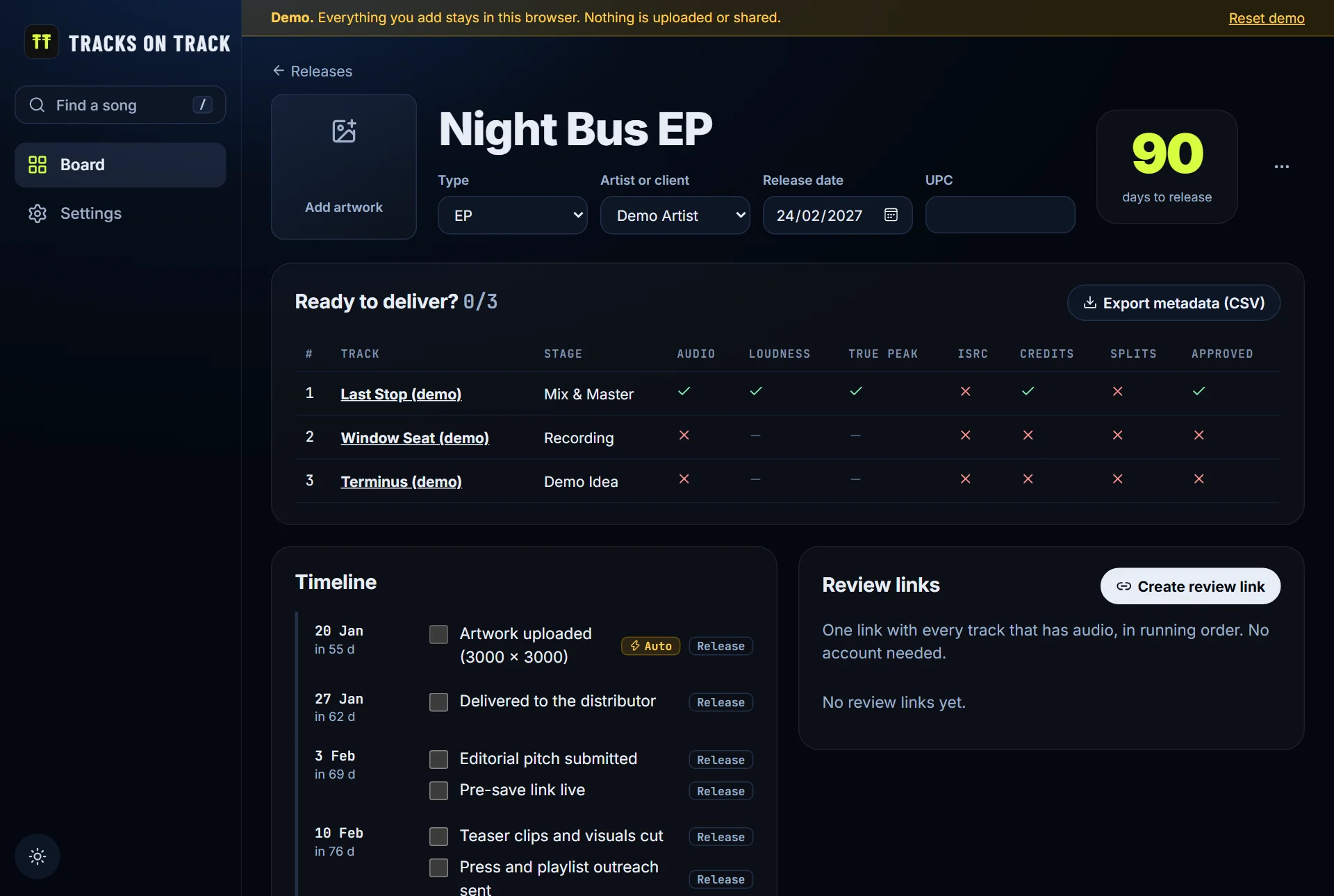
A release page for an EP: days to release, a table of what each track still needs, and a timeline of jobs leading up to release day.

And the rest

  • Review links

    Send a link to a client. They can listen, comment and approve without an account.

  • Artist sign-ins

    Artists, and their producers and managers, see only their own songs.

  • Emails you control

    Get told when you're tagged: as it happens, once a day or never.

  • Calendar

    Release days and checklist due dates side by side, with your own entries.

  • Loudness measured

    Loudness and true peak are measured when you upload. Tempo and key are estimated.

  • Your files, your data

    Download any version, and export a release's metadata as a CSV.

Who it's for

Made for the people who finish records

  • Producers

    Get notes pinned to the moment, and a clear yes when the mix is approved.

  • Artists

    Stop digging through chats for the latest mix and what everyone said about it.

  • Managers

    See every release you look after and what's holding each one up.

  • Small labels

    Run every release the same way, with the checklists you choose.

Questions

Good to know

Can I use it now?

The app is up and running for the team that built it. We're opening it to other musicians a few at a time, so join the early-access list and we'll be in touch when there's a spot.

What does it cost?

We haven't set pricing yet. Joining the early-access list is free and doesn't commit you to anything.

Do the people I work with need an account?

Not to review a mix. Send a review link and they can listen, comment at a timestamp and approve. People you work with regularly can have their own sign-in and see only their songs.

What audio files can I upload?

WAV, AIFF, FLAC, MP3, M4A and OGG.

Is the demo the real thing?

It's the same app with made-up songs. It runs entirely in your browser, so anything you add stays on your device. A few things that need a server, like the calendar and emails, are left out.

Early access is opening

Get your songs
on track.

We made Tracks on Track to run our own releases. Now we're letting in a small group of other musicians, a few at a time.

  • Free to join the list, and no card needed.
  • We'll email you when there's a spot for you.
  • Try the demo while you wait.

Join the early-access list

We'll only use your email to tell you about Tracks on Track.